This guide is for importing the sourcebook to create a new hero.
You shouldn't need this sourcebook to access your character sheet on a new device.
If you need quick access to your sheet but don't have time to upload the sourcebook, try exporting as a PDF in Accessing your Hero.
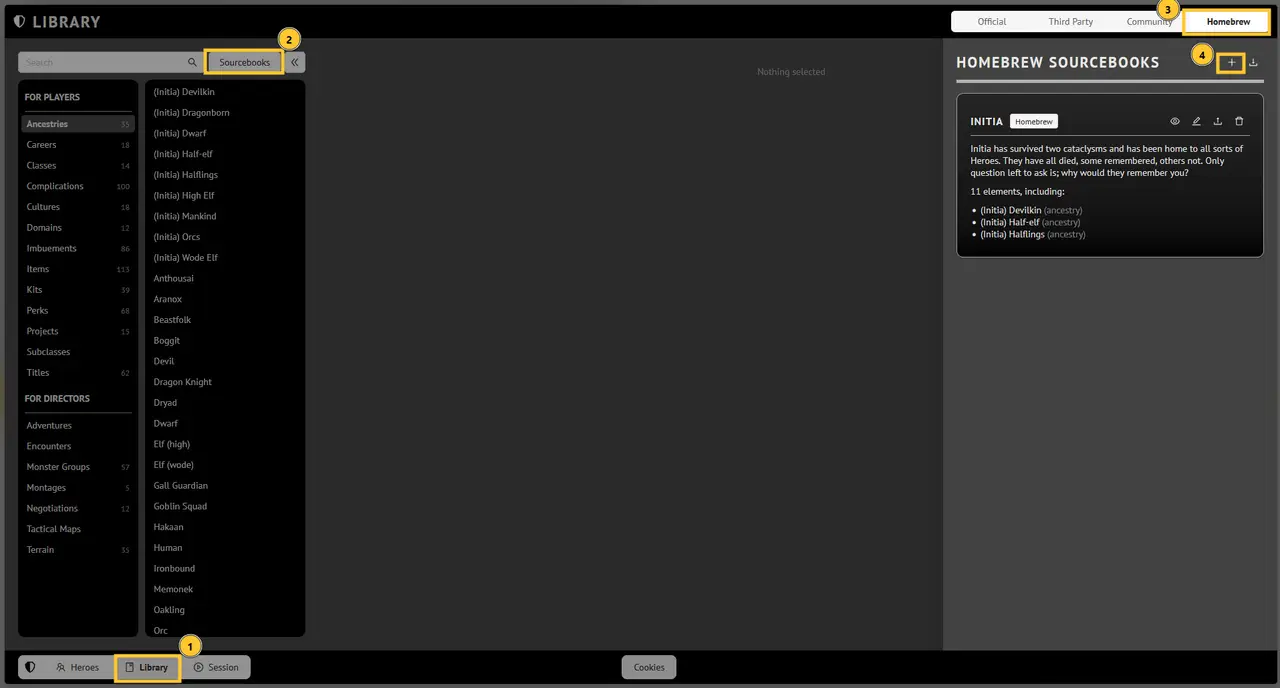
Click on "Library"
Click on "Sourcebooks"
Click on "Homebrew"
Click on the upload symbol and upload the sourcebook.
If you need a copy of the sourcebook the latest version can always be found at intia-ds.com/source.
Empty sidebarAdd facts shared across all tabs