What the Forge Steel?!
You can manage your player character in a digital character sheet via the application Forge Steel.
If you haven't created a character yet, you can create one there. See also Making a Hero.
Forge Steel is saved to the browser, it will be different in Chrome and in Safari. It will not transfer between your phone and your laptop. For this reason a guide has been compiled for downloading and accessing your character sheet on a new device.
Step 1 - Download your .ds-hero file
Your character sheet is probably accessible from initia-ds.com/yourname (for example, initia-ds.com/nathan).
If you update your character... you must send an update copy of your .ds-hero file to the director. See "How do I export my hero?"
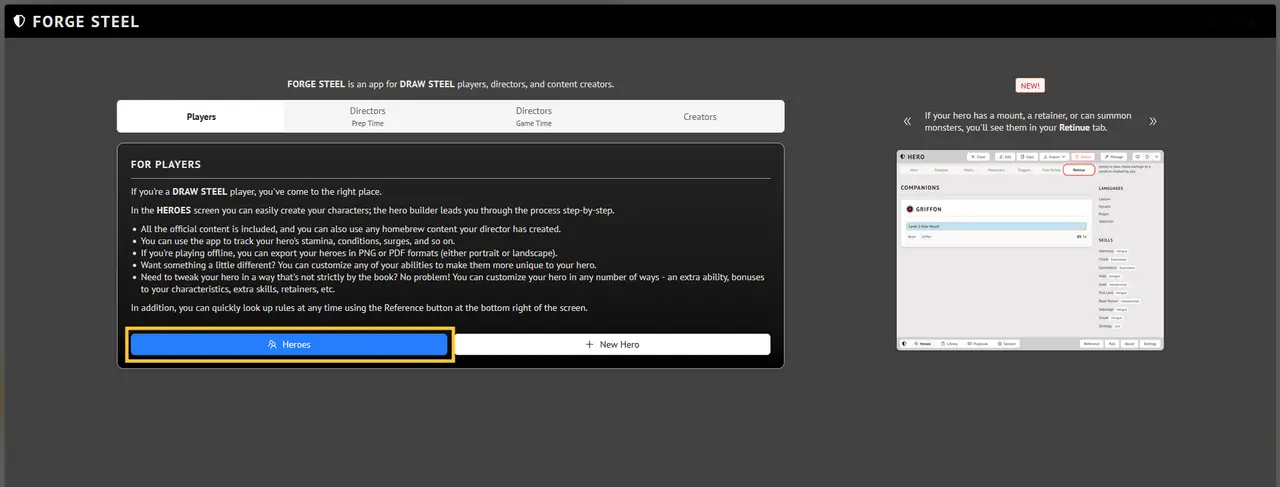
Step 2 - Navigate to the Heroes screen
Navigate to Forge Steel and select "Heroes"
Step 3 - Upload your .ds-hero file
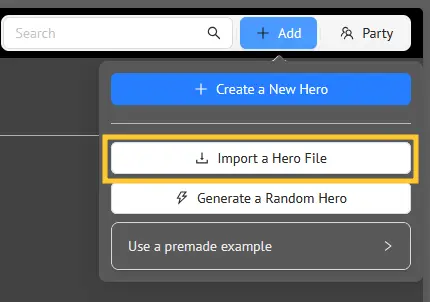
Select "Add" and then "Import a Hero File", proceed to upload your character file from step 1.
That's it! Your character sheet should automatically open. Trouble? Contact the director!